Handle order changes from vendor
Whenever there is a change made to the order by the vendor, you will need to confirm these changes for the order to be confirmed. When there is an order that needs to be checked, the order’s status will be changed to Confirmation Required.

Select the order to review the changes made and choose to accept/reject the change. Once you have confirmed all the changes made, click on Update Order.
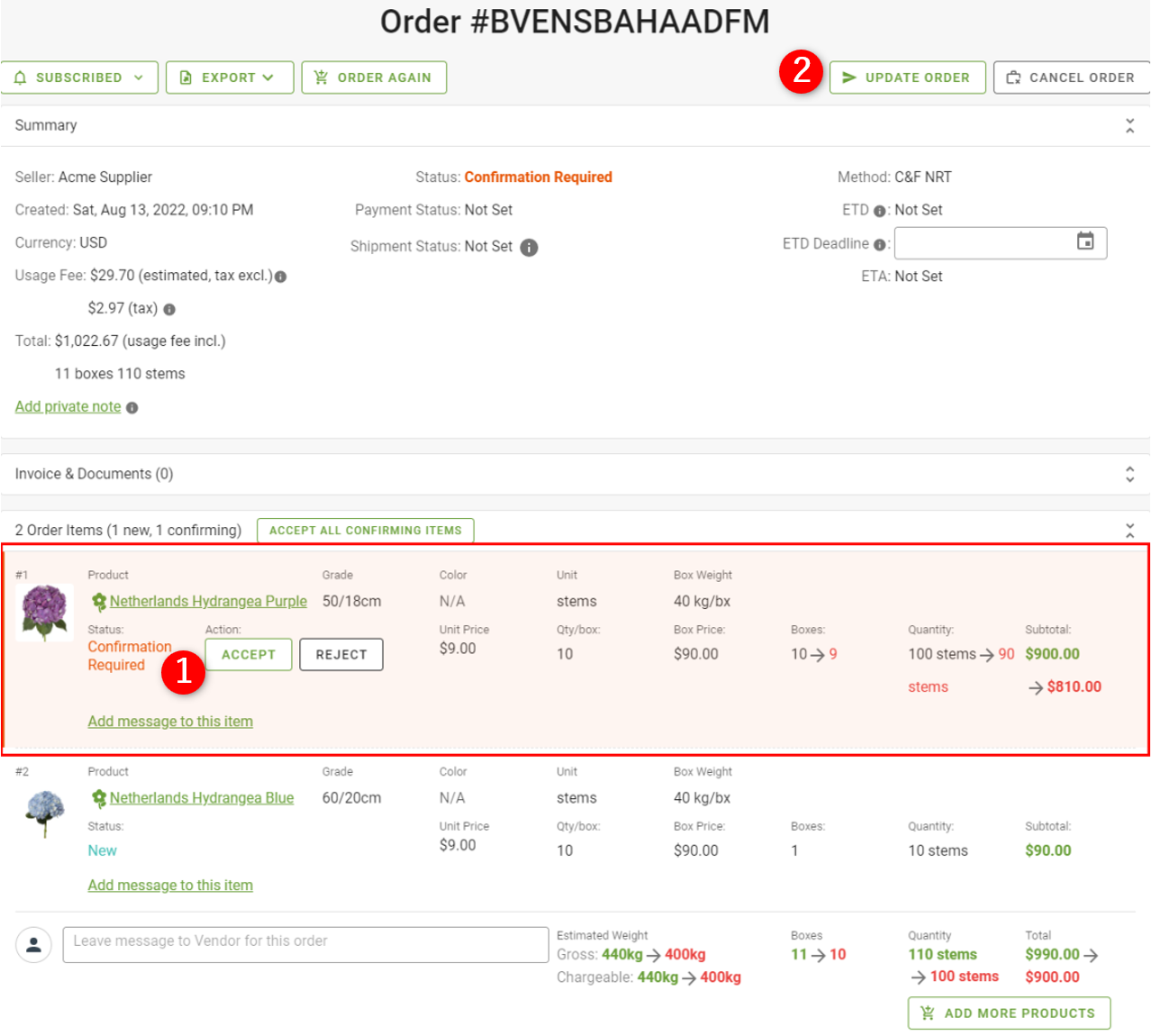
You may also choose to cancel the entire order if the order has not yet been invoiced by the vendor.

Once the order has been updated after having chosen to accept/ reject the change, this action cannot be reversed.