Price pattern
To accommodate your pricing strategy, FMI’s price patterns allow you to fully customize prices that each merchant will see, based on a flexible combination of products’ families or varieties, shipping ports, merchants’ country of origin. You could also set a custom price directly to a merchant if there is a pre-agreement between both parties.
Create a price pattern
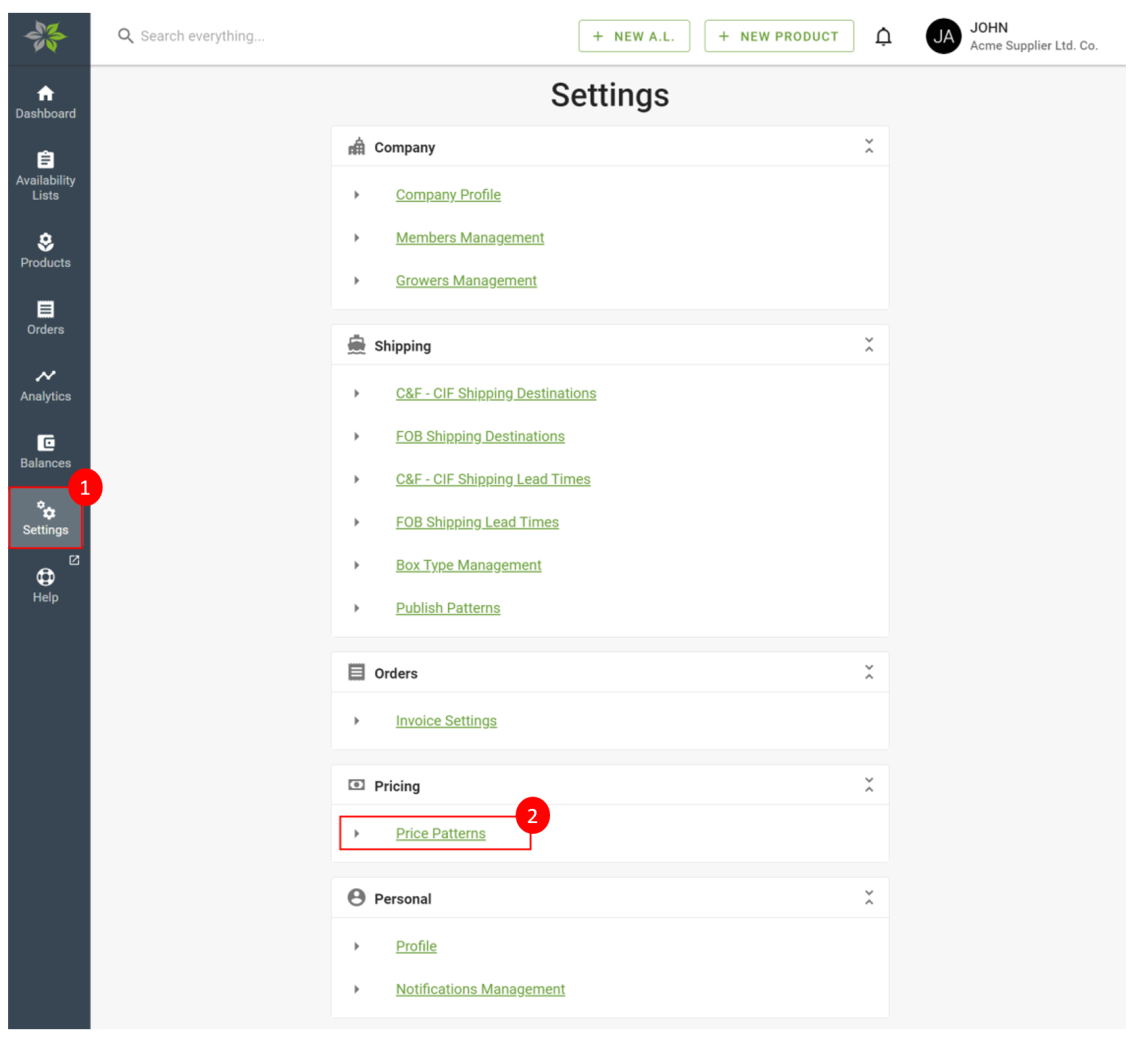
From the Settings page, click on Price Patterns to open the list of created price patterns.
To start making a new one, click on New Price Pattern.
To start making a new one, click on New Price Pattern.
For the pattern title, a memorable name can be inputted.
The first rule of the pattern will be pre-added for you. You can also set a memorable name for the rule, so it is easier to identify what this rule consists of later in the future. Follow the rule’s self-explanatory instruction in the form of “When I sell {product} to {destination} then {adjust price}” and select options based on your pricing strategy.
A rule can be moved upwards or downwards with the arrow buttons on each rule header. If there are multiple rules with overlapping conditions (“When I sell {product} to {destination}”), the price adjustment will follow the first rule that matches.
When completed, click on the Save button to save the pattern. To apply the pattern to availability lists, see the next section.
Apply price pattern
Each price pattern can be used by multiple availability lists. To apply the price pattern, first, open the availability list. In the Pricing panel, select the created price pattern from the Price Pattern select-box (1). Lastly, click the Save button on the panel’s header to apply. You will be able to apply a secondary price pattern to this A.L. Eg. if you would like to provide a discount to a specific merchant.
If you want to use a different pattern on the panel, select it from the Price Pattern select-box (2) of the panel and click the Save button on the panel’s header to apply. Alternatively, if you would like to apply a specific price pattern to just the panel, you can do so here.
Preview A.L.’s prices after applying price pattern
You can preview the prices that are applied to a merchant before publishing it to them. Learn more about previewing A.L. here.